
Create Estimated
Estimated is what you expect the job to cost your company, at internal rates. Projected Costs is the bid, at the rates you charge the client. When the bid is agreed, one button builds Estimated from it.
Before you start
Section titled “Before you start”- Finish Projected Costs: every line you need has its Nº, days and rate.
- Create Estimated once. CREATE ESTIMATED rebuilds the whole phase from Projected Costs, so anything you have already typed into Estimated is replaced.
Create it
Section titled “Create it”-
Open the sidebar: Extensions › OneBudget › Show sidebar.
-
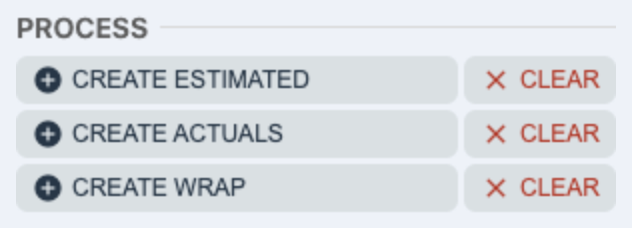
In PROCESS, press CREATE ESTIMATED.
-
Wait while it works. The button shows WORKING…; it takes 15 to 30 seconds.
-
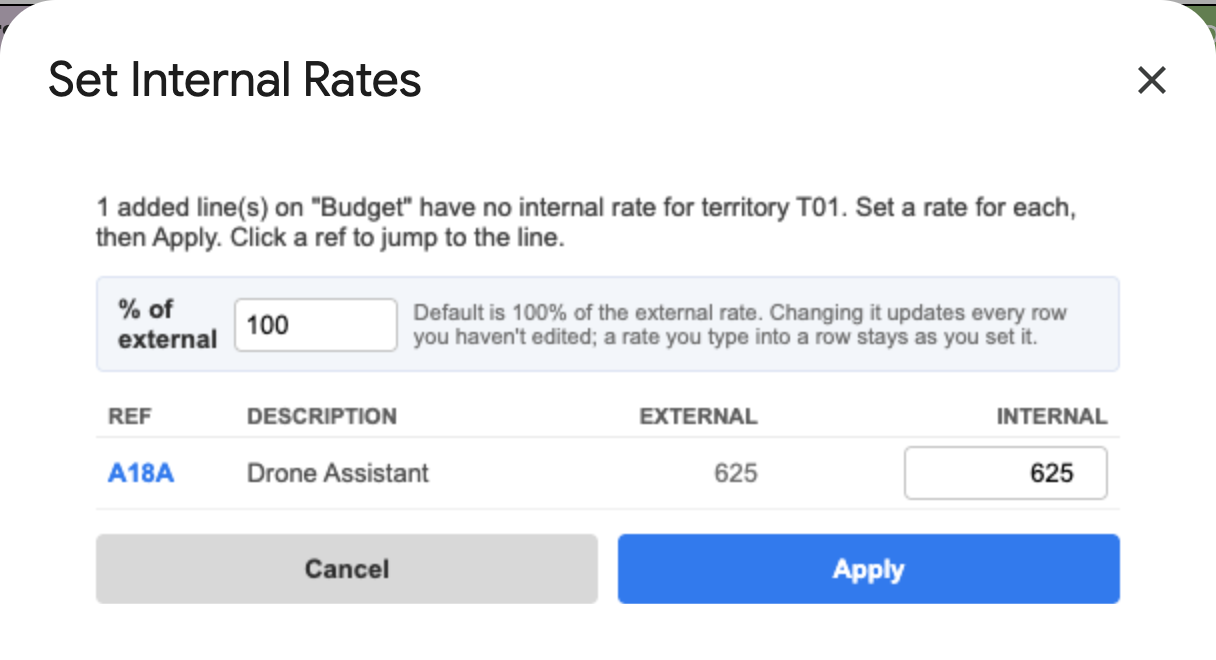
If you have added lines to this budget (with DUPLICATE or ADD) and they have no internal rate on the Rates sheet, a window asks for one. Each line starts at 100% of its external rate. Change % of external to set them all at once, or type a rate for each line, then press Apply. Click a reference (for example A18A) to jump to its line.
What it does
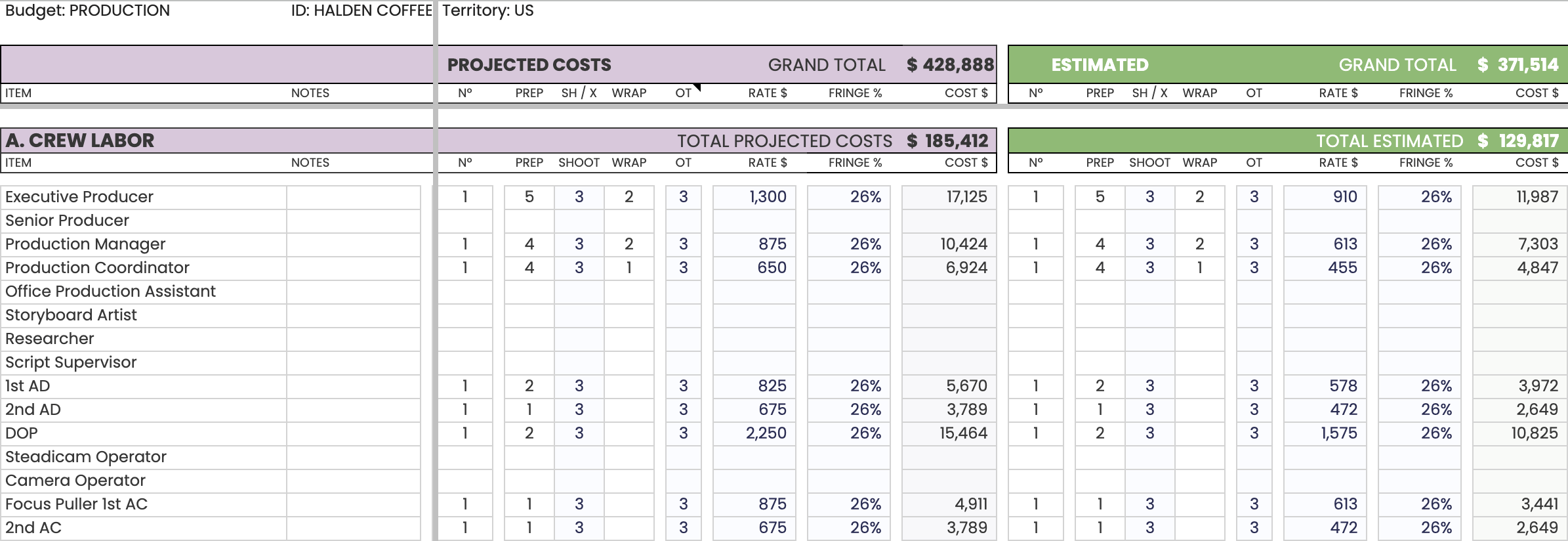
Section titled “What it does”- Copies every Projected Costs line into Estimated: Nº, days and line settings.
- Fills the Estimated RATES column with the territory’s internal rates from the Rates sheet, matched line by line.
- Estimated appears beside Projected Costs, with its own grand total.
After creating
Section titled “After creating”Work in Estimated from now on: change Nº, days and rates to what you expect the job to cost. Rates are changed in Estimated’s RATES column: press RATE under ESTIMATED in SHOW / HIDE to show it.
If something looks wrong
Section titled “If something looks wrong”- A line shows no cost in Estimated. Check its Nº first, then its rate in the RATES column. A line with no internal rate on the Rates sheet comes in without one: type the rate in.
- You pressed CREATE ESTIMATED by mistake and lost your changes: File › Version history › See version history restores an earlier version of the budget.